Free · open source · runs in your browser
Store screenshots for every platform, language and A/B test.
Design App Store, Google Play, Mac, Windows, Steam and TV listings in one place. Localize every screen, prepare test variants, and let AI agents do the busywork through WebMCP.
No sign-up. Projects stay on your device.
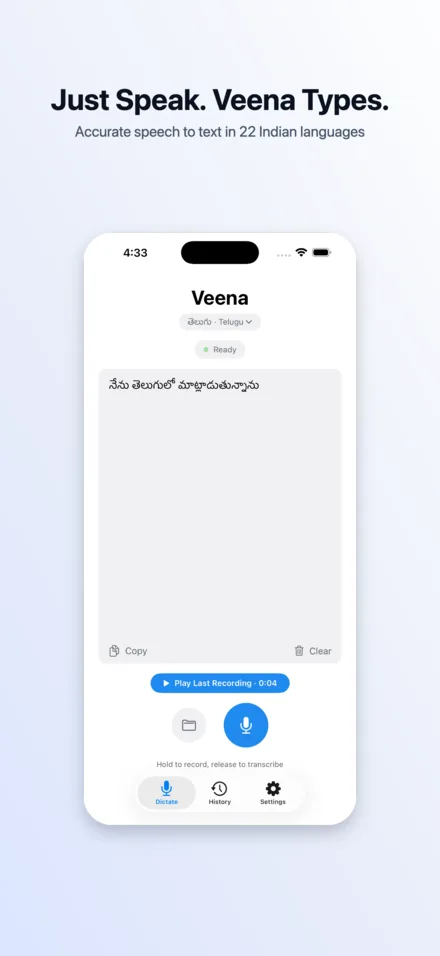
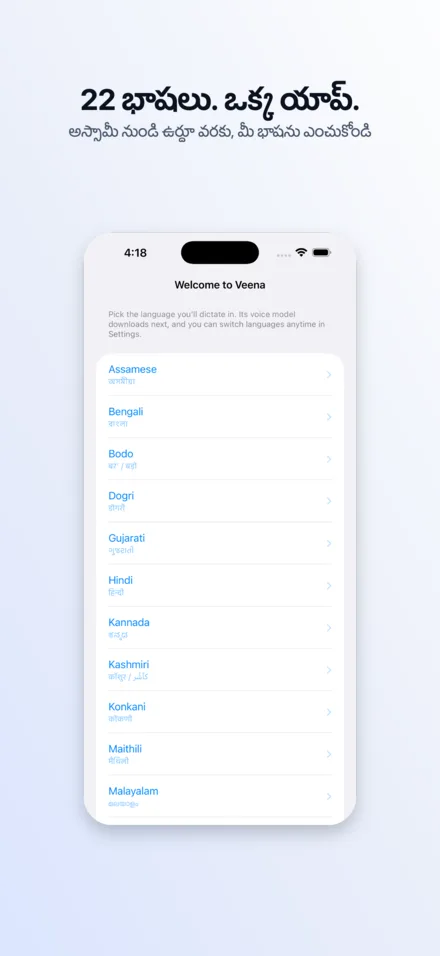
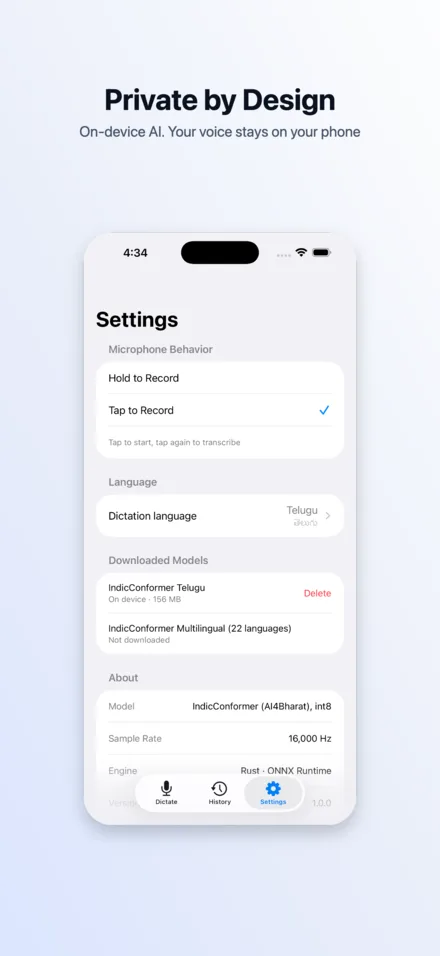
One deck, every storefront
23 platforms across 7 stores, with the exact sizes and limits each one accepts. Design once, then copy a platform to another — screens, copy and styling rescale to fit.
- iPhone1320×2868
- iPad2064×2752
- Mac2880×1800
- Apple TV3840×2160
- Apple Vision Pro3840×2160
- Apple Watch422×514
- Android phone1080×1920
- 7-inch tablet1080×1920
- 10-inch tablet1440×2560
- Chromebook1920×1080
- Android TV / Google TV1920×1080
- Wear OS480×480
- Android XR3840×2400
- Android Automotive1024×768
- Play artwork1024×500
- Windows desktop3840×2160
- Xbox3840×2160
- Steam screenshots1920×1080
- Steam capsules920×430
- Fire TV1920×1080
- Fire tablet2560×1600
- Smart TV (16:9)1920×1080
Organized the way store listings actually work
Four levels keep hundreds of images manageable — and make it obvious what is live, what is being tested and what is missing.
- Level 1Project
One app. Its languages, brand and every screenshot set you make for it.
- Level 2Variant
An A/B test arm — control, treatment, winner — with its hypothesis.
- Level 3Platform
A store + device + size: iPhone 6.9", Android phone, Mac, Apple TV…
- Level 4Language
Copy and screenshots per locale, with fallbacks and per-language layout.
Everything a listing needs
Localization built in
Filename language detection, a strings table with missing translations, RTL rendering, CJK line breaking and per-language sizes.
A/B variants
Copy a whole set in one click, change one idea, and compare variants side by side before sending them to PPO or Play experiments.
Frames for every device
2D phone, tablet, watch, laptop, monitor, window, browser and TV frames — plus 3D iPhone and Galaxy models.
Resize across platforms
Start the Android, iPad or TV set from your iPhone set. Type sizes, shadows and layout rescale automatically.
Board view QA
See every screen in every language at once and catch overflowing headlines or missing captures before review does.
Store-ready export
PNG or JPEG at exact sizes, no alpha, zipped as variant / platform / language — ready to upload.
Your screenshots never leave the browser — projects live in local IndexedDB storage.
WebMCP
Your AI agent can drive the whole editor
Storedeck registers 22 typed tools with the browser. Agents upload simulator captures, write and translate headlines, style every platform, check rendered previews for overlaps, and export — while you watch the canvas update.
get_app_stateget_screenget_platform_catalogget_stringsget_imagesselectset_viewmanage_projectmanage_variantmanage_platformmanage_screensmanage_languages+10 more// in a WebMCP-capable browser
await document.modelContext // tools registered by Storedeck
manage_screens({ action: "upload", screenshots: [...] })
set_copy({ entries: [
{ screenIndex: 0, field: "headline", language: "en",
text: "Just speak. Veena types." },
{ screenIndex: 0, field: "headline", language: "te",
text: "మాట్లాడండి. వీణా రాస్తుంది." }
]})
manage_variant({ action: "create", name: "Outcome copy",
hypothesis: "Benefit-first headlines lift installs" })
get_images({ scope: "platform" }) // visual QA
export({ allLanguages: true, delivery: "return" })Guides
All guidesQuestions
Is Storedeck free?+
Yes. Storedeck is free and open source under the MIT license. There is no account, watermark or export limit.
Where are my projects and screenshots stored?+
In your browser's IndexedDB storage on your device. Nothing is uploaded to a Storedeck server. Use Export project file to back up a project or move it to another browser.
Which stores and devices are supported?+
App Store (iPhone, iPad, Mac, Apple TV, Apple Vision Pro, Apple Watch), Google Play (phone, 7" and 10" tablets, Chromebook, Android TV, Wear OS, Android XR, Automotive, feature graphic), Microsoft Store (Windows, Xbox), Steam (screenshots and capsules), Amazon Appstore (Fire TV, Fire tablet), generic smart-TV stores and web/social formats. See screenshot sizes.
How are projects organized?+
A project is one app. Inside it, variants are alternative screenshot sets for A/B tests. Each variant has one platform per store/device (iPhone, Android phone, Apple TV…), and every screen in a platform has copy and images per language.
Can I reuse my iPhone design for Android, iPad or TV?+
Yes. When adding a platform, choose Start from an existing one. Screens, screenshots, copy and design are copied and rescaled to the new size — then drop in the device-specific captures.
Does it support 3D device mockups?+
Phone platforms can switch to 3D models of the iPhone 15 Pro Max and Galaxy S25 Ultra with color finishes and drag-to-rotate. All platforms also have 2D frames: phone, tablet, watch, laptop, monitor, app window, browser and TV.
Design your store screenshots now
Free, in your browser, no sign-up. Projects are saved locally.